
SQL JOINs
Here is a clear, complete, and practical guide to SQL JOINs, including diagrams, examples, and best-practice notes.
✅ What Are SQL JOINs?
SQL JOINs combine rows from two or more tables based on a related column, usually a foreign key.
JOINs are used to answer relational questions such as:
-
Which orders belong to which user?
-
Which products are in which categories?
-
What rows in one table have no match in another?
🔷 1. INNER JOIN
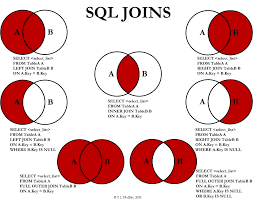
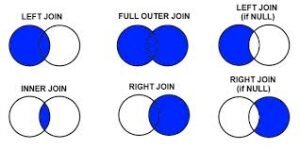
Returns only the rows with matching values in both tables.
✔ Shows users who have placed orders.
❌ Users without orders are excluded.
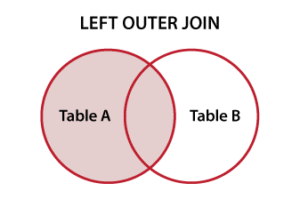
🔷 2. LEFT JOIN (LEFT OUTER JOIN)
Returns all rows from the left table, plus matching rows from the right table.
Rows without a match on the right become NULL.
✔ Shows all users, even those with no orders.
🔷 3. RIGHT JOIN (RIGHT OUTER JOIN)
Opposite of LEFT JOIN:
Returns all rows from the right table, and matching rows from the left.
✔ Shows all orders, even if the user is missing or deleted.
(Not available in SQLite.)
🔷 4. FULL OUTER JOIN
Returns all rows from both tables, matching when possible.
Unmatched rows get NULLs.
✔ Shows:
-
Users with orders
-
Users without orders
-
Orders without users
(Not natively supported in MySQL—requires UNION workaround.)
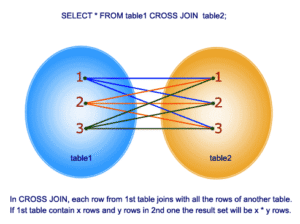
🔷 5. CROSS JOIN
Returns every combination of rows (Cartesian product).
✔ Useful for generating combinations (e.g., product variations).
⚠ Can create a huge number of rows.
🔷 6. SELF JOIN
A table joined to itself—used for hierarchical or relational data within the same table.
✔ Useful for parent-child relationships.
🔥 Practical Examples
Example: Get users with their latest order
Example: Find users who have never placed an order
Example: Count orders per user
🧠 Best Practices for JOINs
✔ Always use table aliases for readability
✔ Always JOIN on indexed columns for performance
✔ Prefer INNER JOIN when appropriate—it is faster
✔ Use LEFT JOIN to find unmatched rows (common analytics task)
✔ Avoid FULL JOIN on large datasets (expensive)
✔ Don’t put JOIN conditions in the WHERE clause—use ON

