MongoDB Data API

MongoDB Data API

MongoDB Data API 🌐🚀

The MongoDB Data API lets you access and manipulate MongoDB data over HTTPS using REST-style endpoints—without drivers, sockets, or persistent connections. It’s part of MongoDB Atlas and is ideal for serverless, edge, and frontend use cases.

What is the MongoDB Data API?

  • A RESTful API to perform CRUD & Aggregation

  • Works over HTTPS

  • No MongoDB drivers required

  • Auth via API keys

  • Perfect for serverless functions, static sites, edge runtimes


When should you use the Data API?

  • Serverless platforms (Cloudflare Workers, Vercel Edge, AWS Lambda)

  • Frontend apps (when used carefully with restricted keys)

  • Quick prototypes & integrations

  • Environments where TCP drivers aren’t supported


Core Capabilities

  • Find / Insert / Update / Delete

  • Aggregation pipelines

  • Atlas Search (when configured)

  • Schema-agnostic (works with existing collections)


Enable the Data API (Atlas)

  1. Create a cluster in MongoDB Atlas

  2. Go to Data API → Enable

  3. Create an API Key

  4. Note your App ID, Data Source, Database, Collection


Authentication

Use an API Key in headers:

api-key: <YOUR_API_KEY>
Content-Type: application/json

Endpoint Pattern

POST https://data.mongodb-api.com/app/<APP_ID>/endpoint/data/v1/action/<action>

Common actions:

  • findOne

  • find

  • insertOne

  • insertMany

  • updateOne

  • updateMany

  • deleteOne

  • deleteMany

  • aggregate


1️⃣ Find Documents

POST /action/find

Body

{
"dataSource": "Cluster0",
"database": "collegeDB",
"collection": "students",
"filter": { "course": "BA" },
"projection": { "name": 1, "age": 1, "_id": 0 },
"limit": 5
}

2️⃣ Insert One

POST /action/insertOne
{
"dataSource": "Cluster0",
"database": "collegeDB",
"collection": "students",
"document": {
"name": "Amit",
"age": 22,
"course": "BA"
}
}

3️⃣ Update One

POST /action/updateOne
{
"dataSource": "Cluster0",
"database": "collegeDB",
"collection": "students",
"filter": { "name": "Amit" },
"update": { "$inc": { "age": 1 } }
}

4️⃣ Delete One

POST /action/deleteOne
{
"dataSource": "Cluster0",
"database": "collegeDB",
"collection": "students",
"filter": { "name": "Amit" }
}

5️⃣ Aggregation

POST /action/aggregate
{
"dataSource": "Cluster0",
"database": "collegeDB",
"collection": "students",
"pipeline": [
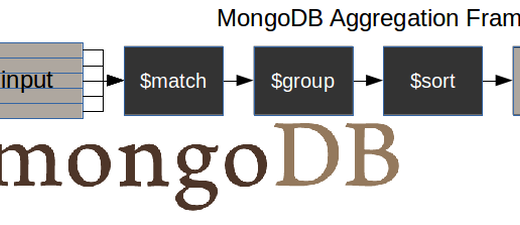
{ "$match": { "age": { "$gt": 20 } } },
{ "$group": { "_id": "$course", "total": { "$sum": 1 } } },
{ "$sort": { "total": -1 } }
]
}

Security Best Practices 🔐

  • Never expose full-access keys to the browser

  • Use IP allowlists and role-based access

  • Prefer backend/serverless usage

  • Rotate API keys regularly


Data API vs Drivers

Data API MongoDB Drivers
HTTPS / REST Native TCP
No persistent connections Connection pooling
Great for serverless Best for long-running apps
Slightly higher latency Lowest latency

Performance Tips ⚡

  • Use indexes on filters

  • Keep payloads small (projection)

  • Batch writes where possible

  • Prefer aggregation server-side


Quick Recap 🧠

HTTPS + JSON
API Keys
CRUD + Aggregation
Ideal for serverless & edge

You may also like...